
Table of Contents
ToggleFortnite has always been a visual powerhouse. Since its launch, Epic Games has delivered some of the most vibrant, dynamic, and downright stunning visuals in the battle royale space. Whether it’s the surreal neon glow of a Chapter 4 POI, the chaotic spectacle of a shotgun duel mid-build fight, or the sheer drip of a new collab skin, the game practically begs to be screenshotted.
That’s why cool Fortnite pictures have become their own currency in the community. Players collect them, share them, use them as wallpapers, or just admire the artistry behind a well-composed shot. With Chapter 5 introducing Unreal Engine 5.1 enhancements and even richer lighting systems, the visual ceiling has never been higher.
This guide covers everything: where to find incredible fortnite pics, how to capture your own using Replay Mode, editing tips to make your screenshots pop, and the best ways to share your work. Whether you’re hunting for fortnite photos to use as your desktop background or aiming to build a portfolio of your own in-game photography, you’re in the right place.
Key Takeaways
- Cool Fortnite pictures are a major form of community expression, with players using Replay Mode to capture cinematic moments and share them across Twitter, Instagram, and Reddit.
- Fortnite’s built-in Replay Mode offers Hollywood-level camera control, including free cam, depth-of-field effects, and pause features, making professional-quality Fortnite photos accessible to all players.
- Composition fundamentals like the rule of thirds, leading lines, and dynamic camera angles transform ordinary screenshots into visually stunning fortnite images worth sharing.
- The best Fortnite wallpapers capture seasonal themes, event moments, and character skins in high resolution (4K or higher) with optimized graphics settings and thoughtful color grading.
- Building a Fortnite content portfolio requires curating 20-30 top-quality images, developing a consistent visual style, and engaging with the community across platforms to establish recognition.
- Free and affordable editing tools like GIMP, Photopea, and Lightroom Mobile allow creators to enhance cool Fortnite pictures with color correction, vignettes, and text overlays without expensive software.
Why Fortnite Pictures Are So Popular in the Gaming Community
Fortnite’s aesthetic sits at the intersection of cartoonish charm and technical brilliance. The game’s art direction, bold colors, exaggerated proportions, and a willingness to go absolutely wild with crossovers, makes every frame screenshot-worthy.
But it’s not just about pretty visuals. Fortnite has cultivated a culture of expression. Players don’t just play the game: they perform in it. Skins are status symbols. Emotes are conversation. Victory Royales are moments worth immortalizing. A fortnite image capturing that final elimination with a sniper headshot at 200 meters isn’t just a picture, it’s a trophy.
The social media ecosystem around Fortnite amplifies this. Platforms like Twitter, Instagram, and TikTok are flooded daily with fortnite photos: concept skins, funny glitches, absurd Creative Mode builds, or perfectly timed action shots. Epic Games themselves lean into this, regularly featuring community content and hosting screenshot contests during seasonal events.
Then there’s the technical side. Replay Mode gives players Hollywood-level camera control. You can freeze time, adjust FOV, apply depth-of-field effects, and capture angles that would be impossible during live gameplay. This democratizes in-game photography, anyone can become a visual storyteller with the right eye and a bit of practice.
In short, fortnite pics are popular because the game rewards creativity, the community celebrates it, and the tools to capture it are built right in.
Where to Find the Coolest Fortnite Pictures Online
Official Fortnite Sources and Community Hubs
Epic Games maintains several official channels that regularly publish high-quality Fortnite imagery. The Fortnite website and blog showcase promotional art, patch notes with featured screenshots, and event teasers. These are professionally produced and often available in high resolution.
The official Fortnite subreddit (r/FortniteBR) is a goldmine. Daily, players post their best screenshots, funny moments, and artistic captures. The upvote system naturally surfaces the best content, and the community is quick to call out truly exceptional work. Similarly, the Fortnite Creative subreddit (r/FortniteCreative) is packed with mind-blowing builds photographed from dramatic angles.
Fortnite’s in-game News tab sometimes links to community spotlights, and the Discover section in Creative Mode often features maps with stunning visual design, perfect for screenshot hunting.
Fan Art Platforms and Creative Communities
For more artistic takes on pictures of fortnite, platforms like DeviantArt, ArtStation, and Behance host thousands of fan-created works. These range from photo-realistic renders of skins to stylized interpretations and concept art. Many artists use Blender or Unreal Engine to recreate Fortnite characters in custom scenes, producing imagery that rivals official promotional material.
Discord servers dedicated to Fortnite content creation are another treasure trove. Communities like the Fortnite Creative Discord or various skin design servers share WIP shots, finished screenshots, and collaborative projects. You’ll often find exclusive content here before it hits mainstream platforms, and esports communities on Dexerto frequently highlight standout visual moments from competitive matches.
Social Media Hotspots for Fortnite Imagery
Twitter remains the beating heart of Fortnite visual culture. Hashtags like #FortniteBR, #FortniteScreenshot, and #ReplayRoyale aggregate thousands of daily uploads. Many prominent community members and content creators share their best shots, and Epic Games occasionally retweets standout work.
Instagram is where the aesthetic-focused crowd thrives. Accounts dedicated solely to Fortnite photography curate feeds of cinematic shots, skin showcases, and themed collections. The platform’s visual-first format makes it ideal for browsing fortnite wallpapers and high-quality stills.
TikTok might seem video-centric, but plenty of creators post slideshow-style compilations of their best screenshots, often synced to trending audio. Pinterest is surprisingly useful too, search “Fortnite screenshots” or “Fortnite wallpapers,” and you’ll find massive boards with organized collections by theme, season, or skin rarity.
Types of Cool Fortnite Pictures You Can Collect
Character Skins and Outfit Showcases
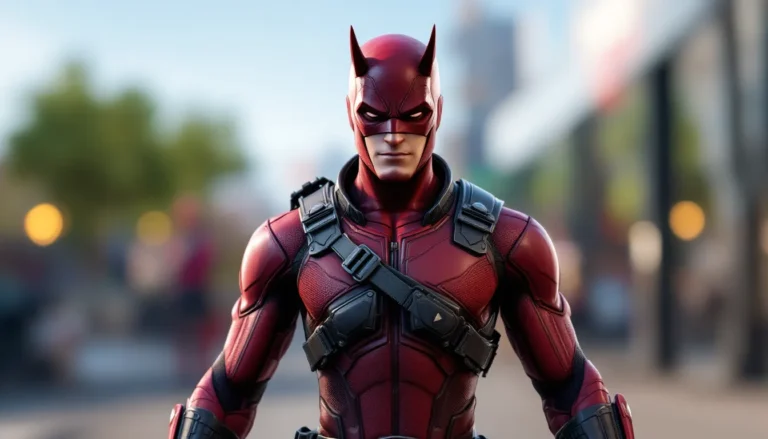
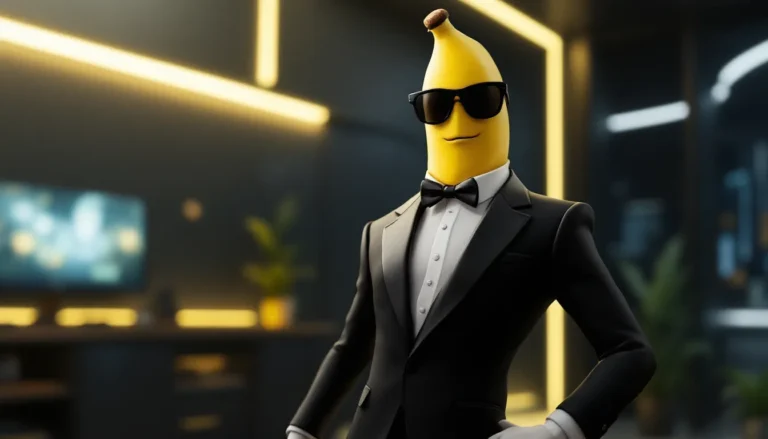
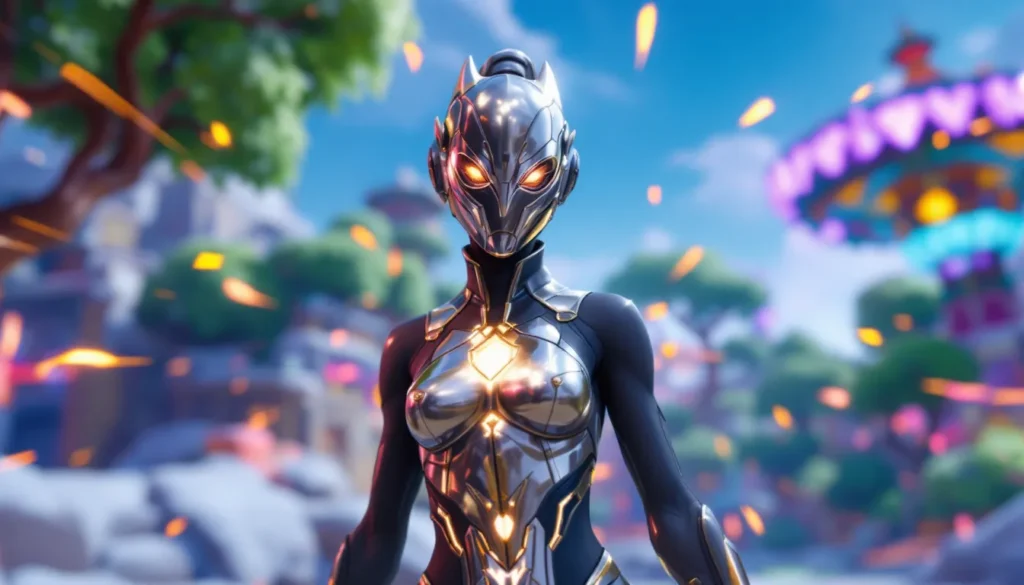
Skin showcases are probably the most common type of fortnite picture. With over 1,500 skins in the game as of Chapter 5 Season 2, collectors and fans want to see every detail: back bling interactions, pickaxe combos, glider animations, and how different lighting affects metallic or reactive materials.
Some of the most sought-after images feature rare or exclusive skins, think original Chapter 1 Battle Pass items like Black Knight or Renegade Raider, or high-tier collab skins like the Foundation or Spider-Man. Promotional shots of upcoming skins often leak early and circulate widely, driving hype before official releases. Players who focus on specific rare outfits often build entire galleries around a single cosmetic set.
Epic Victory Royale Screenshots
Capturing the exact moment you secure a Victory Royale is a rite of passage. The golden “Victory Royale” banner, your character in a celebratory pose, and the chaos of the final circle in the background, it’s the ultimate flex.
What makes these screenshots cool is context. A solo win in a stacked endgame? A clutch 1v4 in squads? A zero-build Victory Royale with nothing but a shotgun and determination? The story behind the fortnite pic matters. Some players even use Replay Mode to recreate the winning moment from cinematic angles, adding dramatic lighting or slow-motion effects.
Creative Mode Builds and Artistic Creations
Creative Mode has evolved into a legitimate art platform. Players build everything from pixel art tributes to fully realized horror maps, photorealistic cityscapes, and abstract sculptures. Capturing these in the right light, with the right FOV, turns them into genuine art pieces.
Many builders use the time-of-day settings and environmental effects, fog, lightning, sunset glow, to enhance their screenshots. Some even collaborate with photographers (yes, that’s a real role in the Fortnite community) to document their work. The best creative fortnite photos rival anything you’d see in an architecture or game design portfolio, and resources like Twinfinite often feature standout Creative Mode projects.
Cinematic In-Game Moments and Action Shots
Then there are the action shots: a mid-air sniper duel, a perfectly timed shockwave escape, two players colliding with pickaxes in a frantic box fight. These are the hardest to capture live, which is why Replay Mode is essential.
Cinematic moments often come from live events too. The Device event, the Galactus showdown, the Chapter 3 finale with the Chrome spreading across the island, these were visual spectacles, and the community responded with thousands of screenshots from every conceivable angle. Some players spend hours in Replay Mode after events, hunting for the perfect frame.
How to Capture Your Own Cool Fortnite Pictures
Using Fortnite’s Built-In Screenshot and Replay Features
Replay Mode is your primary tool. After any match, you can access it from the Career tab. This lets you rewatch the entire match with full camera control: free cam, orbit cam, drone follow, third-person lock, and more. You can pause at any frame, adjust playback speed, and even apply cinematic filters.
Key Replay Mode controls (PC defaults):
- Pause/Play: Spacebar
- Free Camera: Press and hold the right mouse button, use WASD to move
- Speed Up/Slow Down Playback: , and . keys
- Hide HUD: H (essential for clean screenshots)
- Change Camera Mode: C (cycles through perspectives)
- Exposure/Focus Settings: Available in the Settings cog while in Replay
On console, the controls are accessible via the d-pad and bumper buttons. The UI is slightly less intuitive than PC, but all the same features are there.
For live screenshots during gameplay, use your platform’s native capture:
- PC: F12 (Steam), Win+Alt+PrtScn (Xbox Game Bar), or third-party tools like OBS/Shadowplay
- PlayStation: Share button (PS4) or Create button (PS5)
- Xbox: Xbox button + Y
- Switch: Capture button (saves to album)
Remember: live gameplay screenshots are lower resolution and lack the polish of Replay Mode captures, but they’re great for spontaneous moments.
Best Camera Angles and Composition Tips
Good composition transforms a decent fortnite pic into a cool one. A few principles:
Rule of Thirds: Position your subject off-center. Imagine a 3×3 grid over your frame, place key elements along the lines or at intersections. This feels more dynamic than centering everything.
Leading Lines: Use environmental geometry, roads, rivers, building edges, to guide the viewer’s eye toward your subject.
Depth and Layers: Include foreground, midground, and background elements. A close-up of a character with a blurred landscape behind them adds depth. Replay Mode’s depth-of-field slider is perfect for this.
Dynamic Angles: Avoid static, eye-level shots. Shoot from below to make a character look heroic. Shoot from above for a strategic, map-like view. Tilt the camera slightly (Dutch angle) for action or tension.
Lighting Matters: Time of day affects mood. Sunrise/sunset gives warm, golden tones. Midday is bright and flat. Night or storm lighting creates drama. Adjust exposure in Replay settings to avoid blown-out highlights or crushed blacks.
Negative Space: Don’t clutter the frame. Sometimes a lone character against a vast sky or empty landscape is more striking than a busy shot.
Experiment. The beauty of Replay Mode is you can try dozens of angles on the same moment until something clicks.
Optimal Graphics Settings for Stunning Visuals
If you’re on PC, crank your settings to Epic across the board before entering Replay Mode or taking screenshots. Key settings to max out:
- View Distance: Epic (renders distant objects fully)
- Shadows: Epic (adds depth and realism)
- Anti-Aliasing: Epic or TSR (smooths jagged edges)
- Textures: Epic (sharpest detail on skins and environments)
- Effects: Epic (better particle effects, explosions, weather)
- Post Processing: Epic (enhances bloom, color grading, motion blur)
Disable motion blur for screenshots, it’s great for gameplay feel but muddy in stills. Turn off the FPS counter and any overlays.
On console, you’re locked to the system’s preset, but PS5 and Xbox Series X/S run Fortnite at higher fidelity than last-gen. If you’re on a Pro or Series console, ensure you’re in the quality mode (not performance mode) when capturing.
Resolution matters. Output your screenshots in the highest resolution your system supports. PC players can use 4K or even 8K via DSR/DLDSR if their GPU allows. Console screenshots are typically 1080p or 4K depending on the system.
Finally, use HDR if your display supports it. Fortnite’s HDR implementation (especially on PS5/Series X and high-end PCs) delivers richer colors and better contrast, which translates beautifully into screenshots.
Editing and Enhancing Your Fortnite Pictures
Top Photo Editing Tools for Gaming Screenshots
Raw screenshots are great, but editing can elevate them. You don’t need a degree in Photoshop, just a few tweaks can make a huge difference.
Free Tools:
- GIMP: Open-source Photoshop alternative. Full layer support, color correction, filters, and text tools. Steep learning curve, but powerful.
- Photopea: Browser-based Photoshop clone. Surprisingly capable, supports PSD files, and requires no download.
- Paint.NET: Windows-only, lightweight, beginner-friendly. Great for quick edits, cropping, and basic effects.
- Canva (Free Tier): Less precise than GIMP but excellent for adding text overlays, borders, and social media formatting.
Paid Tools:
- Adobe Photoshop: Industry standard. If you’re serious about editing, this is the gold standard. Subscription-based.
- Adobe Lightroom: Focused on color grading and batch processing. Ideal if you’re editing lots of screenshots at once.
- Affinity Photo: One-time purchase, nearly as powerful as Photoshop, and gamer-budget friendly.
For quick mobile edits, Snapseed (iOS/Android) and VSCO are solid. Lightroom Mobile is free and surprisingly robust.
Adding Effects, Filters, and Text Overlays
Color Correction:
Adjust brightness, contrast, and saturation to make colors pop. Fortnite’s visuals are already vibrant, but a slight saturation bump and contrast tweak can add punch. Be careful not to oversaturate, keep it looking natural (or stylized, if that’s your vibe).
Sharpening:
A subtle sharpen filter (in Photoshop: Filter > Sharpen > Unsharp Mask) brings out fine details in skins and textures. Don’t overdo it or you’ll introduce noise.
Vignette:
Darkening the edges of the frame draws attention to the center. Most editing tools have a vignette slider. Use it sparingly for dramatic effect.
Filters and Presets:
Lightroom and mobile apps offer one-click filters. Filters like “Cinematic,” “Moody,” or “High Contrast” can set a tone quickly. Experiment, but don’t rely on them exclusively, custom adjustments usually look better.
Text Overlays:
Adding your username, a quote, or a caption can brand your work. Use clean, readable fonts. Avoid Comic Sans. Tools like Canva and Photoshop offer tons of font options. Position text using the rule of thirds, don’t slap it dead center.
Some creators add subtle UI elements: fake HUD overlays, custom Victory Royale banners, or stat cards. These can be fun for portfolio pieces or memes, and guides on customizing Fortnite visuals sometimes touch on creative presentation ideas.
Watermarks:
If you’re sharing publicly, consider a small watermark in a corner. It won’t stop dedicated thieves, but it discourages casual reposting without credit.
Cool Fortnite Wallpapers and Backgrounds for Your Devices
Best Resolutions for Desktop and Mobile Wallpapers
Wallpapers need to match your display’s aspect ratio and resolution for the best look.
Desktop (16:9 standard):
- 1920×1080 (Full HD): Minimum for modern monitors. Most common.
- 2560×1440 (2K/QHD): Mid-range gaming monitors. Sharper, richer detail.
- 3840×2160 (4K/UHD): High-end displays. Future-proof and crystal clear.
- 5120×1440 (Ultrawide): 21:9 or 32:9 monitors. Requires cropping or custom shots.
Mobile:
- 1080×2400 (common Android): Fits most modern Android phones.
- 1170×2532 (iPhone 14/15 standard): Apple’s current standard res.
- 1290×2796 (iPhone 15 Pro Max): Larger iPhones.
- Portrait orientation: Ensure your wallpaper is vertical. Many in-game screenshots are landscape and need cropping or rotation.
Tablets:
Varies widely. iPad Pro (2732×2048) and other tablets often use 4:3 or 16:10. Check your device specs.
When exporting from Replay Mode or editing software, aim for the highest resolution your device supports. You can always downscale, but upscaling introduces blurriness.
Seasonal and Event-Themed Fortnite Wallpapers
Fortnite’s seasonal structure makes themed wallpapers a big deal. Each season brings new POIs, skins, and aesthetic shifts.
Chapter 5 Season 2 (current as of March 2026):
Greek mythology theme. Expect wallpapers featuring Mount Olympus, godlike skins (Zeus, Medusa collabs rumored), and vibrant Mediterranean landscapes. Lightning effects and marble aesthetics dominate.
Winterfest/Holiday Events:
Snowy landscapes, festive skins, and cozy lodge interiors. Perfect for December wallpapers.
Halloween (Fortnitemares):
Dark, spooky vibes. Purple skies, haunted POIs, monster skins. Great for moody, high-contrast wallpapers.
Collaboration Events:
Marvel, Star Wars, Anime crossovers, these bring unique art styles and iconic characters. A Spider-Man skin swinging through Tilted Towers or a Goku skin mid-Kamehameha makes for killer wallpaper material.
Many fan communities on GameSpot and similar sites curate seasonal wallpaper packs. Epic also releases official promotional art each season, often in wallpaper-friendly resolutions.
Pro tip: Capture event-exclusive moments while they’re live. The Chapter 4 Fracture event’s reality-warping visuals, for example, can’t be recreated after the season ends. Replay Mode saves for about a week, so grab your shots early.
Sharing Your Fortnite Pictures With the Community
Platform-Specific Sharing Tips and Best Practices
Twitter:
The Fortnite community thrives here. Post high-res images (Twitter supports up to 4K now, though compression still applies). Use relevant hashtags: #FortniteBR, #FortniteScreenshots, #ReplayRoyale, and season-specific tags like #FortniteChapter5. Tag @FortniteGame if it’s exceptional, sometimes Epic notices.
Post during peak hours: evenings (7-10 PM EST) and weekends see the most engagement. Pair your screenshot with a short, punchy caption. “Caught the final circle sunset” beats “Here’s a pic I took.”
Instagram:
Optimize for the platform’s square or 4:5 aspect ratio. Crop your images accordingly or use Stories for full vertical shots. Instagram compresses heavily, so start with high quality. Use Stories for behind-the-scenes or WIP content, and feed posts for your best work.
Hashtags work here too, but Instagram’s algorithm favors engagement over sheer tag volume. 10-15 targeted hashtags (#FortniteCommunity, #GamingPhotography, #FortniteAesthetics) perform better than 30 generic ones.
Reddit:
Subreddits like r/FortniteBR and r/FortniteCreative welcome screenshots, but read the rules, some have restrictions on low-effort posts. High-quality, unique shots get upvoted: generic skin showcases often don’t. Write a thoughtful title and engage in the comments.
Discord:
Join Fortnite-focused servers and share in screenshot or media channels. This is a great place for constructive feedback. Smaller, niche servers (e.g., skin combo communities) are especially receptive.
TikTok/YouTube Shorts:
Turn your best screenshots into short slideshows with trending audio. 5-10 second clips showcasing a skin from multiple angles or a cinematic moment sequence perform well. These platforms favor video, but photo montages still gain traction.
Portfolio Sites:
If you’re building a serious collection, consider hosting on ArtStation, DeviantArt, or even a personal website. This is more for long-term curation than viral sharing, and players interested in unlocking rare content or showcasing their collections often maintain these portfolios.
Building Your Fortnite Content Portfolio
A portfolio isn’t just for professionals, it’s a way to organize your best work and establish your style.
Curate ruthlessly. Only include your top 20-30 images. Quality over quantity. If you wouldn’t use it as your desktop wallpaper, it probably doesn’t belong.
Develop a style. Some creators specialize in cinematic action shots. Others focus on skin showcases with clean lighting. Some go full surrealism in Creative Mode. Consistency makes your work recognizable.
Tell stories. Organize images into series: a season’s progression, a single match from drop to Victory Royale, or a themed collection (e.g., “Best Sunset Shots” or “Pickaxe Close-Ups”).
Engage with the community. Follow other Fortnite photographers. Comment, share, collaborate. The community is surprisingly supportive, and cross-promotion helps everyone grow.
Stay updated. Each season brings new visual opportunities. The visual design shifts Epic introduces can inspire entirely new portfolios. Chapter transitions, in particular, are goldmines for fresh content.
Some creators even monetize: selling prints, offering custom screenshot commissions, or partnering with skin designers to showcase their concepts. It’s niche, but there’s an audience.
Conclusion
Cool Fortnite pictures are more than just screenshots, they’re a form of creative expression, a way to commemorate epic moments, and a gateway into a thriving visual community. Whether you’re hunting down the perfect fortnite wallpaper, learning to wield Replay Mode like a cinematographer, or sharing your captures with thousands online, the tools and opportunities are there.
The beauty of Fortnite’s visual ecosystem is its accessibility. You don’t need expensive gear or professional software to capture something stunning. A well-timed pause, a good eye for composition, and a bit of experimentation can yield fortnite images that rival official promotional art.
So fire up Replay Mode, explore Creative, chase that perfect golden-hour Victory Royale shot, and share it. The Fortnite community is always hungry for fresh visuals, and your perspective, whether it’s a clutch moment, a rare skin combo, or an abstract Creative build, adds to the collective gallery. Keep shooting, keep experimenting, and most importantly, have fun with it. The island is your canvas.