
Table of Contents
ToggleYou’ve cleared your schedule, hyped up your squad, and logged in early, but how much time do you actually need? Fortnite live events are some of the most anticipated moments in gaming, drawing millions of players worldwide to witness map-destroying meteors, reality-warping rifts, and season-ending showdowns. But here’s the thing: these spectacles don’t last long.
Whether you’re a veteran who’s watched the island get swallowed by a black hole or a newer player prepping for your first event, knowing the duration helps you plan. Miss the login window by five minutes? You might miss the entire thing. This guide breaks down exactly how long Fortnite live events run, what affects their length, and how to make sure you’re ready when the countdown hits zero.
Key Takeaways
- Fortnite live events typically last 10 to 15 minutes, but the complete experience including pre-event lobby and transitions requires 30 to 45 minutes total.
- Events are one-time-only spectacles that permanently reshape the map, so missing the live moment means watching replays on YouTube or Twitch instead of experiencing the shared moment with millions of players.
- Log in at least 30 minutes early to secure a spot in the event playlist, as joining too close to start time risks capacity lockouts and missing the entire experience.
- Event duration varies based on narrative complexity and player interaction—more elaborate storylines and interactive mechanics extend the runtime, while simple map changes like the Ice King event lasted only 4 minutes.
- Prepare your system before the event by updating Fortnite, optimizing graphics settings, closing background apps, and using a wired internet connection to avoid lag during the spectacle.
What Is a Fortnite Live Event?
A Fortnite Live Event is a one-time, in-game spectacle that advances the game’s overarching narrative. Unlike regular gameplay, these events are scripted experiences that happen at a specific date and time, once they’re over, they’re gone.
During a live event, players are typically placed in a special lobby or playlist where weapons are disabled. You become a spectator in your own match, watching as Epic Games transforms the island in real-time. Past events have featured everything from a giant monster vs. robot battle (Season 9) to a black hole that deleted the entire game for two days (Chapter 1 Season X).
These aren’t just cutscenes. They’re interactive moments where millions of players experience the same thing simultaneously. The events fundamentally reshape the map, introduce new mechanics, or set up the next season’s theme. Think of them as season finales that you play through rather than watch.
Typical Duration of Fortnite Live Events
Average Event Length Across All Seasons
Most Fortnite live events clock in between 10 to 15 minutes. That’s the sweet spot Epic Games has settled into after years of iteration. The actual event runtime, from the moment things kick off to the final transition screen, rarely exceeds this window.
Here’s the breakdown:
- Pre-event lobby: 20-30 minutes (players waiting, emoting, exploring)
- Actual event: 10-15 minutes on average
- Post-event transition: 5-10 minutes (loading screens, server maintenance, or immediate new season launch)
The total time commitment from login to new content is usually 30-45 minutes. Some events dump you straight into the new season: others end with extended downtime while Epic prepares the update.
Shortest vs. Longest Events in Fortnite History
Fortnite’s event durations have varied wildly depending on complexity and ambition.
Shortest events:
- Unvaulting Event (Season 8): Roughly 5 minutes. Players voted on which weapon to unvault, watched it emerge from the vault, and that was it.
- Ice King Event (Season 7): About 4 minutes. The Ice King froze portions of the map in a quick, atmospheric moment.
Longest events:
- The End/Black Hole (Chapter 1 Season X): The event itself was about 6 minutes, but the black hole screen lasted 44 hours. Technically not part of the event, but it felt like the longest wait in Fortnite history.
- Fracture (Chapter 3 Season 4): Approximately 15 minutes of gameplay, narrative reveals, and map destruction before transitioning to Chapter 4.
The trend over time? Events have gotten longer and more cinematic. Early Chapter 1 events were brief surprises. By Chapter 3 and beyond, Epic treats them like blockbuster movie finales with multiple acts, player interaction, and elaborate setpieces.
Breaking Down Event Duration by Season
Chapter 1 Live Events
Chapter 1 events were shorter and more experimental. Epic was still figuring out the formula.
- Blast Off (Season 4): ~2 minutes. The rocket launched, tore rifts in the sky, and vanished.
- Butterfly Event (Season 6): ~5 minutes. Players floated through a surreal dimension with a giant butterfly. Quiet, trippy, and brief.
- The Final Showdown (Season 9): ~6 minutes. The Mecha vs. Monster kaiju battle was Fortnite’s first truly cinematic event.
- The End (Season X): ~6 minutes. The meteor struck, rockets launched, and the island collapsed into a black hole. Then… nothing. For two days.
Chapter 1 events averaged 4-6 minutes of runtime.
Chapter 2 Live Events
Chapter 2 marked a shift toward longer, more interactive experiences as players recognized that new season launches are major cultural moments in gaming.
- The Device (Season 2): ~10 minutes. Players witnessed a storm manipulation experiment, office reveals, and reality breaking in real-time.
- Devourer of Worlds (Season 4): ~15 minutes. Galactus attacked the island. Players piloted Battle Buses and fired at him in an interactive sequence.
- Operation: Sky Fire (Chapter 2 Season 7): ~12 minutes. Players infiltrated a mothership in a Call of Duty-style mission.
Chapter 2 events averaged 10-12 minutes, with more player agency and narrative depth.
Chapter 3 Live Events
Chapter 3 doubled down on spectacle and scale.
- Collision (Season 2): ~10 minutes. The Imagined Order vs. The Seven battle culminated in a massive mech fight.
- Fracture (Season 4): ~15 minutes. The Chrome consumed the island, and reality literally folded in on itself to birth Chapter 4.
These events felt like interactive movies, with celebrity voice acting, branching paths, and multi-stage sequences.
Chapter 4 and Chapter 5 Live Events
Chapter 4 and Chapter 5 have maintained the 10-15 minute standard while refining the formula.
- Big Bang (Chapter 4 finale): ~12 minutes. A reality-shattering collaboration with Eminem that reset the entire Fortnite multiverse.
- Chapter 5 events: Epic has experimented with mini-events and live concerts (like Metallica’s 15-minute performance) alongside traditional map-changing spectacles.
The current meta? 10-15 minutes of event, heavy on interactivity, with seamless transitions into the new season. Downtime has shortened significantly, most recent events drop you straight into the updated map within minutes.
What Affects the Length of Fortnite Live Events?
Narrative Complexity and Story Progression
The more story Epic wants to tell, the longer the event runs. Simple map changes (like the Ice King freezing zones) take minutes. Multi-act narratives with character dialogue, plot twists, and lore reveals need more time.
Fracture (Chapter 3 Season 4) clocked in at 15 minutes because it had to:
- Resolve The Paradigm’s storyline
- Show the Chrome’s takeover
- Destroy the island
- Tease Chapter 4’s new map
By contrast, Unvaulting was 5 minutes because it was literally just a vote and a reveal. No elaborate cutscenes, no boss fights.
Player Interaction vs. Cutscene-Only Events
Events with player interaction run longer. When Epic lets you pilot vehicles, shoot at bosses, or make choices, they build in time for those mechanics.
Devourer of Worlds (Chapter 2 Season 4) gave every player a Battle Bus turret to shoot Galactus. That interactive phase added 5+ minutes compared to a passive cutscene. Meanwhile, The End (Chapter 1) was pure spectacle, watch the meteor, watch the island implode, done.
Coverage from outlets covering competitive Fortnite moments like esports news and guides have noted that interactive events also create more memorable community moments, which likely influences Epic’s design choices.
Technical Considerations and Server Capacity
Epic has to balance ambition with infrastructure. Longer events mean more server load, more potential for crashes, and more players logged in simultaneously.
Early events had notorious server issues. The Final Showdown (Season 9) locked out thousands of players who couldn’t join the limited-time playlist. Epic has since refined capacity, but they still keep events tight to minimize risk.
The 10-15 minute window is a technical sweet spot: long enough for spectacle, short enough to keep millions of concurrent players stable. Go much longer, and you risk server meltdowns or player drop-off.
How to Prepare for a Fortnite Live Event
When to Log In Before the Event Starts
Log in at least 30 minutes early. This is non-negotiable.
Epic typically opens the event playlist 30-40 minutes before showtime. If you try to join 5 minutes before, you might hit capacity limits and get locked out. Fortnite doesn’t hold your spot, it’s first-come, first-served.
Here’s the timeline:
- 60 minutes before: Event playlist appears in modes
- 30 minutes before: Safe zone to join without risk
- 10 minutes before: Lobbies start filling: increased lockout risk
- 5 minutes before: High chance of being denied entry
- Event start: If you’re not already in, you’re watching on Twitch
Set a phone alarm. Clear your schedule. Treat it like a limited-time raid in an MMO, you snooze, you lose.
Essential Settings and Optimization Tips
Make sure your game is ready before the event kicks off.
Performance settings:
- Update Fortnite the night before. Epic pushes patches before events.
- Lower graphics settings if you’re on older hardware. Events can tank FPS with all the effects.
- Close background apps (Discord overlays, streaming software) to free up resources.
- Use a wired connection if possible. Events are server-heavy: lag can ruin the experience.
Quality-of-life tweaks:
- Turn off UI elements in settings for cleaner screenshots/recordings.
- Set Party Chat to push-to-talk or mute it. You don’t want a squadmate talking over the event audio.
- Enable Replay Mode if you want to capture cinematic angles afterward (though it may impact performance).
- Check your storage. Some events require last-minute patches that can be several GB.
Pro tip: Join solo, even if you’re playing with friends. Party leaders can sometimes cause lobby issues. Sync up on voice chat outside the game instead.
What Happens If You Miss a Fortnite Live Event?
Can You Replay Fortnite Live Events?
No. Fortnite live events are one-time-only.
Once the event concludes, there’s no in-game way to replay it. Epic has never added an event replay feature, and given how these moments reshape the map, it would be technically complex to carry out.
The closest you’ll get is Replay Mode, but that only works if you were present during the event. If you joined and experienced it, you can rewatch your perspective through the replay system. If you missed it entirely? You’re out of luck.
This exclusivity is intentional. Epic wants FOMO (fear of missing out) to drive player engagement. It works. Event viewership has climbed from millions in Chapter 1 to tens of millions by Chapter 5.
Where to Watch Event Replays and Highlights
If you miss the event, you’ll be watching it second-hand.
Best sources:
- YouTube: Content creators upload full event recordings within minutes. Search “[Event Name] Fortnite Full Event” and filter by upload date.
- Twitch VODs: Streamers like SypherPK, Ninja, and CourageJD broadcast events live. Their VODs stay up for weeks.
- Fortnite’s Official Channel: Epic uploads a polished, cinematic version of every event to their YouTube channel within hours.
- Reddit: r/FortniteBR compiles mega-threads with clips, reactions, and lore breakdowns.
Publications covering gaming culture and entertainment often post detailed recaps and analysis within 24 hours, which is useful if you want context beyond the raw footage.
The experience isn’t the same. Watching on YouTube lacks the collective energy of millions of players reacting simultaneously. But it’s better than nothing.
Tips for Experiencing Your First Fortnite Live Event
Understanding the Pre-Event Lobby Experience
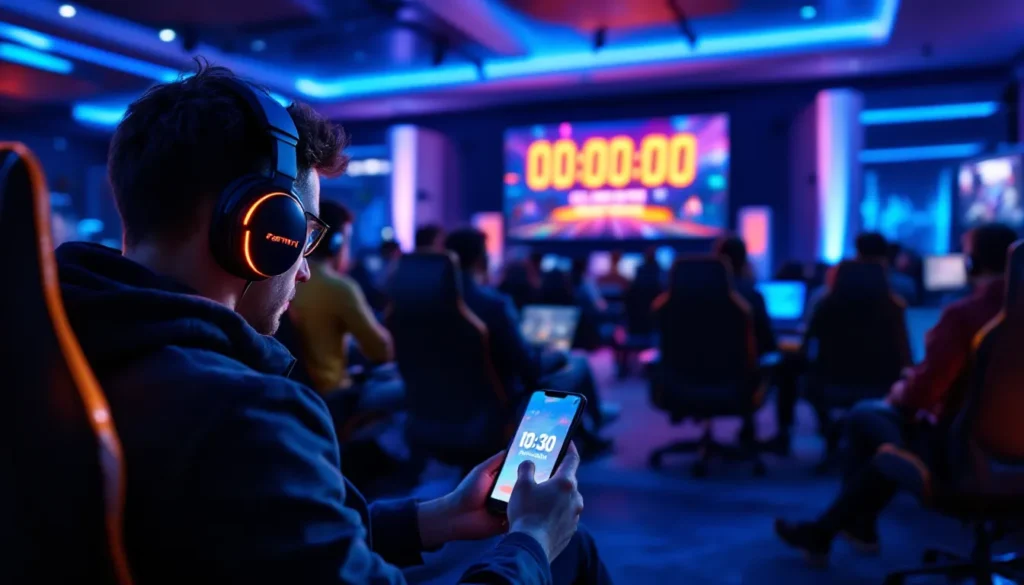
The 30-minute pre-event lobby is part of the experience. Don’t treat it like dead time.
What happens in the lobby:
- Social chaos. Hundreds of players emoting, building (if enabled), and using sprays. It’s like a virtual concert mosh pit.
- Easter eggs. Epic sometimes hides clues or interactive elements in the waiting area. Explore the space.
- Community moments. Players organize conga lines, synchronized emotes, or tribute circles for memorable skins.
Bring friends. The hype builds as the timer ticks down. It’s one of the few times Fortnite feels like a shared event rather than a competitive match.
Pro tip: Don’t wander too far. Some event lobbies disable movement or lock players in place as the countdown nears zero. Stay near the center so you don’t miss any early action.
How to Capture and Record Your Event Experience
You’ll want footage. These are gaming history.
Recording options:
- In-game Replay Mode: Automatically records if enabled in settings. Captures multiple camera angles, but can cause performance drops during the event. Enable it only if your PC/console can handle it.
- OBS/Streaming Software: Best option for high-quality recording. Set it up beforehand and hit record when the event playlist opens.
- Console Capture: PS5 and Xbox Series X can record up to an hour of gameplay. Start recording as soon as you join the playlist.
- NVIDIA ShadowPlay/AMD ReLive: Low-performance-impact recording for PC players. “Instant Replay” feature captures the last 10-20 minutes, perfect for events.
Settings to maximize quality:
- Record at 1080p/60fps minimum (4K if your setup allows)
- Disable HUD elements for cleaner footage (you can re-enable for Replay Mode)
- Use headphones to capture clean game audio without background noise
Post-event:
Review your footage immediately. Some events transition straight into the new season with zero downtime, and you might want to clip highlights before diving into new content. Outlets like Game Informer often feature community clips in their coverage, so quality recordings have a shot at being showcased.
Share your POV on social media with #FortniteEvent and tag Epic. The community loves comparing perspectives, especially if you caught a unique angle or bug.
Future of Fortnite Live Events: What to Expect
Epic shows no signs of slowing down. If anything, live events are getting more ambitious with each chapter.
Trends to watch:
Cross-platform synchronization: Epic has perfected simultaneous events across PC, console, and mobile (where available). Future events might integrate with Fortnite Creative or even Unreal Editor for Fortnite (UEFN), allowing community-created elements in official events.
Longer interactive sequences: Chapter 5’s events lean heavily on player agency. Expect more branching moments where your actions (or votes) influence outcomes. Think less cutscene, more playable prologue.
Celebrity integrations: The Big Bang event featured Eminem. Past events included Travis Scott, Ariana Grande, and Marvel characters. Future events will likely continue blending pop culture with Fortnite’s narrative.
Multi-day or phased events: Instead of a single 15-minute spectacle, Epic has experimented with week-long buildup events (like the Chapter 2 Season 2 Device countdown). Expect more slow-burn narrative beats leading into explosive finales.
VR or AR integration? Epic’s parent company owns Unreal Engine, which powers VR experiences. A VR-spectator mode for live events isn’t far-fetched, especially as hardware improves.
One thing’s certain: the 10-15 minute runtime will likely hold. It’s the sweet spot for player attention, server stability, and content virality. Longer events risk losing players: shorter ones feel underwhelming after years of escalation.
The competitive scene continues to grow, with events like the global championship tournaments drawing massive viewership. Epic might eventually tie live events more directly to esports narratives, blending story with competitive stakes.
Conclusion
Fortnite live events typically run 10 to 15 minutes, but the full experience, from lobby to new season launch, demands 30 to 45 minutes of your time. These aren’t just marketing stunts. They’re cultural moments where millions of players witness the same reality-warping spectacle in real-time.
Log in early, optimize your settings, and bring friends. Whether it’s your first event or your fifteenth, the energy of watching an island fold in on itself or a giant robot punch a kaiju never gets old. Miss it live, and you’re stuck with YouTube clips. Show up, and you become part of gaming history.
Next time Epic announces an event, clear your calendar. Fifteen minutes is all it takes to see why Fortnite live events remain unmatched in the industry.